Mushroom traceability software by QR code, from culture to sale
When a block goes green, or a buyer calls about a tray, the first question is where it came from. With a QR label on every item, the answer is already on its record.
Label every culture, grain spawn and block the day you inoculate it. Scan the label in MycoQR on any phone, with no scanner to buy, to open its record and its lineage back to the culture it started from.
Free for 20 items in production, with up to 600 for your first 30 days. No card.
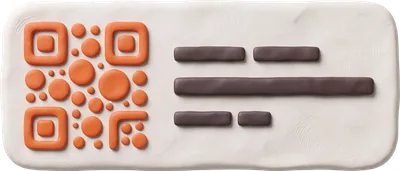
Try it: point your phone camera at the label to open the sample.Try it: tap the label to open the sample.
Sample farm · Hollow Creek Mushrooms
29 × 90 mm address label · Brother DK-1201
How to read the name
- SB
- substrate block
- LM-002
- its strain's culture ID
- g3.1
- its generation
- YY.MM.DD
- the day it was inoculated
- B12
- its batch
- sb4
- the batch's fourth block
Your own labels open in MycoQR's scanner. Racks, media lots and yield trays get labels too. Print from a computer to a label printer or a standard printer, or from a phone to an AirPrint or Mopria printer.
Follow one tray back to its culture
What a mushroom traceability system records
A mushroom traceability system is a record of where each item came from and where it went. Here is one on the sample farm: a buyer calls about an order, and the line walks back from the sale to the culture. Every stop is a real record on the sample farm. Press any piece to open it.
On an item in production, Trace to origin lists the line behind it and every item made from it. New to the steps, agar to grain spawn to block? See Mycology 101, our beginner's guide to mushroom cultivation.
Sample farm · Hollow Creek Mushrooms
1 of 8
The sale
A buyer calls about an order. Start from its sale: invoice INV-0024.
2 of 8
The yield tray
The tray keeps the harvests packed into it, even after it sells.
3 of 8
The harvest
Each harvest shows the day it was picked, its grade and its block.
4 of 8
The substrate block
The block's record names its parent, its media lot and its run.
5 of 8
The grain spawn
The grain spawn the block was inoculated from. It keeps its own parent too.
6 of 8
The liquid culture
One step further back: the culture the spawn was inoculated from.
7 of 8
The agar culture
Where the line began on this farm: its first culture.
8 of 8
And forward
The run lists each batch in it, from the culture down: what is still in production, and what was contaminated.
Culture to sale
Two more questions mushroom traceability has to answer
The same records answer the day a block goes green, and the day someone asks who did what.
Question 1
A block goes green: what else is at risk?
Mark it contaminated, and everything else made from the same grain spawn and the rest of its batch go on the At Risk list. Mark a grain spawn, and the blocks made from it go on too. Inspect each one and record it clean or contaminated. If you suspect the media and not the spawn, the block's media lot is on its record, and the lot's page lists every item made from it.
More on mushroom contamination tracking.
The At Risk list after block sb2 was marked: the blocks from the same grain spawn, each waiting on an inspection.
Sample farm · Hollow Creek Mushrooms
Question 2
Someone asks: who did what, and when?
Every stage change, move and contamination mark is saved with who made it and when, and the Activity page lists them by person and date. Undoing a stage change is saved too, and a spent block keeps its record.
MycoQR does not certify a farm: ask your auditor or your buyer which records a GAP audit or a food safety check needs. What it does is keep these records, so they are there the day someone asks.
Walk the line yourself: open the sample block. More on mushroom cultivation records.
Sample farm · Hollow Creek Mushrooms
What you use today
Where the marker, the notebook and the spreadsheet stop
You don't need mushroom traceability software to keep good records. You need it when the question is where something came from, and you want the answer on your phone, standing at the shelf.
A marker on the bag
It says the strain and the date, and the spawn's code if you wrote it. It can't tell you what else that spawn made.
A notebook
It holds the day's work in the order it happened. One block's story is spread across the pages since it was inoculated.
A spreadsheet
It can hold the links if someone types in every transfer and keeps it up on a busy day. MycoQR saves the link when the item is made, and a scan of its label opens it.
Questions
About traceability and QR labels
More in the FAQ.
Print your first culture label today
Free for 20 items in production, with up to 600 for your first 30 days. No card.